
Publish and go online
Publishing and going Online are separate actions
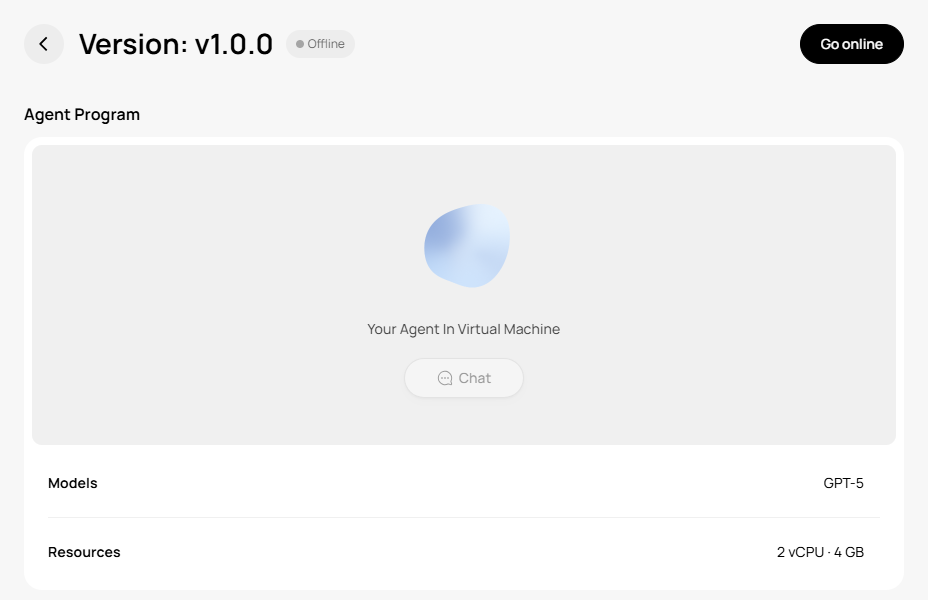
A newly published version is Offline by default. The Agent accepts new production invocations only after you click Go online.
Final pre-publication check
- The Workspace reached
active, and the Program was completed and saved under/oasn. - Normal input, missing input, attachment, external-resource, and any WebUI scenarios were exercised in WebChat as applicable.
- The avatar, name, description, one category, and MOM are complete.
- The MOM is a UTF-8
.mdfile no larger than 1 MB and containsUse when,Inputs, andOutputs. - Pricing uses
cost_plus; gross margin is an integer percentage from 0 to 100; and Minimum starting balance is at least 0 Credits. - LLM, CPU, and memory are configured.
- If the Agent exposes a WebUI,
webui-ports getreportssync_status=ready, the current proxy is ready, and the business page has been tested through the returned link. - The draft is saved, with no unsaved changes or validation errors on the page.
Start Publish
Click Publish
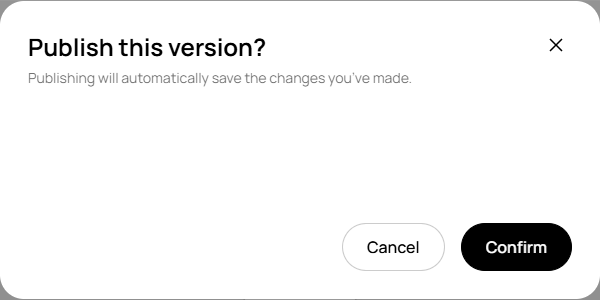
In the version workspace, review the version and configuration listed by the confirmation dialog. Being able to open this dialog does not mean the version has been published.Confirm publication
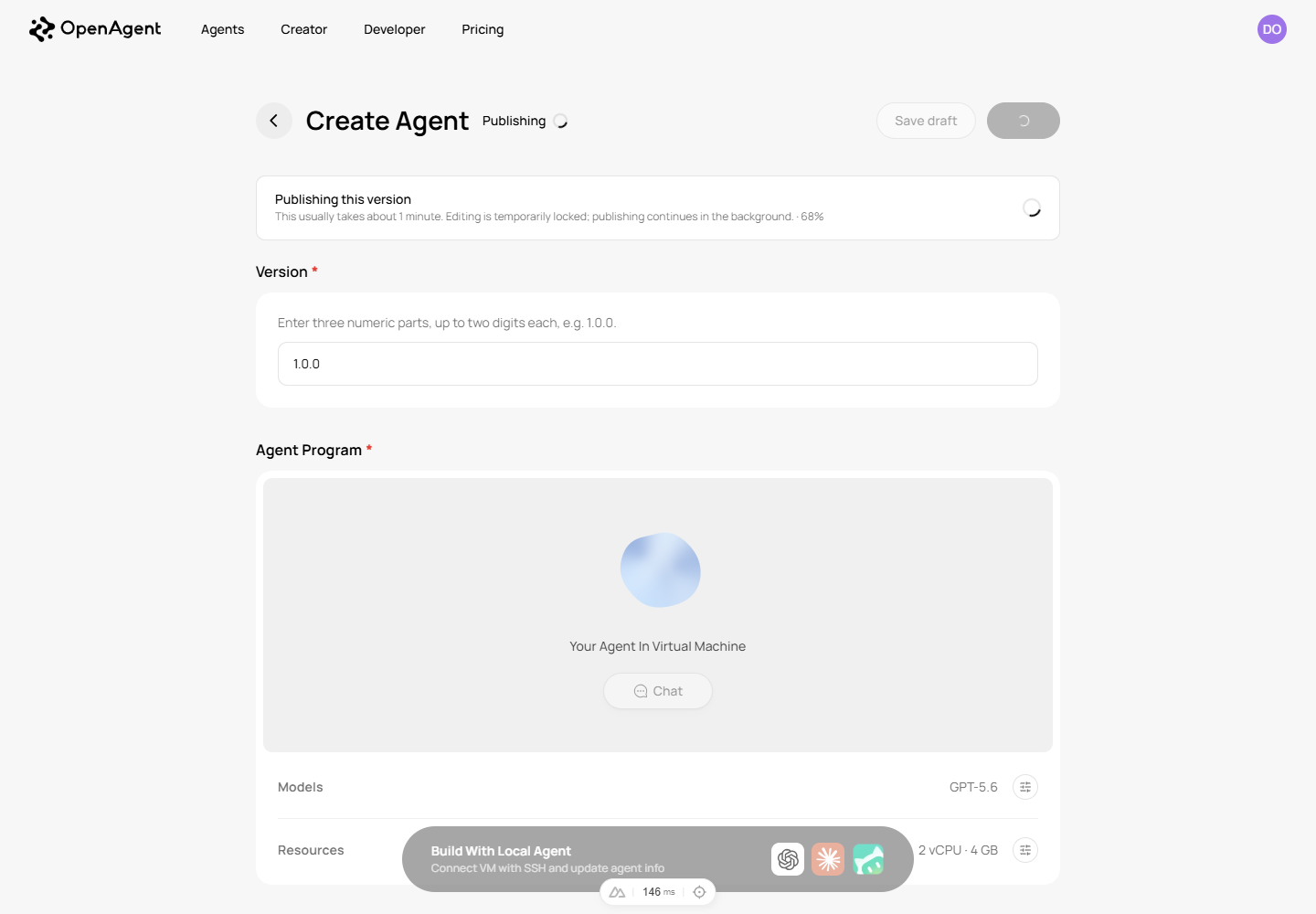
Confirmation creates an asynchronous Publish Job. Keep the page open to observe it, or return to the same version later.Wait for both completion conditions
The publication flow is complete only when the Job issucceededand the publication isvisible.
Publish job states
| State | Meaning | Developer action |
|---|---|---|
queued | The job is queued and has not started. | Wait; do not submit a duplicate. |
running | Publication stages are executing. | Continue observing this job. |
succeeded | The Job stage succeeded. | Also confirm that the publication is visible. |
failed | The job ended in failure. | Record the failed stage and error, repair the draft, and then publish again. |
canceled | The job was canceled. | Confirm why it was canceled and submit again only if appropriate. |
Publication states
| State | Meaning | Complete? |
|---|---|---|
pending | Waiting to synchronize into the visible catalog. | No |
syncing | Publication facts are being synchronized. | No |
visible | Published content is visible. | Yes, but the version is still Offline by default. |
failed | Visibility synchronization failed. | No |
One green status is not enough
If job.status=succeeded while the publication remains pending or syncing, publication has not finished. Wait for publication_status=visible.
Move from Offline to Online
Confirm successful, visible publication
The version should show as published, the Publish Job should besucceeded, and the publication should bevisible.Click Go online
The initial post-publication version and UI state is Offline. Click Go online and wait for the page to confirm Online. When diagnosing an API result, versionstatus=onlineand Agentsupply_status=listedare separate fields.Run one production acceptance invocation
Open theuser_agent_urlreturned by the publication result. If it is not shown, return to the public Agents catalog, search by the exact Agent name, and verify its name, description, and developer identity. The public route is generated from a platform public slug; never build it from an internalagent_id.Install it in a real client
On the public Agent page, click Use in ChatGPT. For another client, open the split-button menu and choose Use in Claude or Use in WorkBuddy. Follow the installation dialog. Do not use an internal API, token, or development Workspace WebChat URL as a production entry point.Submit a representative request and inspect the result
After installation, search for or select the public Agent in the client and verify its exact name, description, and developer identity again; a generic installation dialog does not itself prove that the current Agent is selected. Submit a minimum normal request and inspect the final text. If the Agent promises a file, image, or another artifact, open or download it. The behavior should match the development WebChat contract, but the production invocation itself is the acceptance evidence.
CLI 0.7.3 also exposes allow-listed portal operations
openagent-dev portal readiness, portal publish, portal publish-job, and portal supply-status can perform the corresponding website workflow when that exact action is explicitly authorized. Run openagent-dev portal commands for the current contract. A command being available is not permission to publish or change supply state, and write operations require their declared confirmation, idempotency, ETag, or body-file inputs.
Do not declare completion when the public entry point is missing
If the correct public Agent still cannot be found after succeeded + visible + Online, or the installation dialog or target client is unavailable, record production acceptance as BLOCKED or NOT TESTED with the visible state and time. Do not guess the slug or substitute a Workspace WebChat result.
Actual completion criteria
succeeded + visible + Online + installation from the public Agent page in a real client + one successful production invocation. If any item is missing, do not tell the caller that launch is complete.